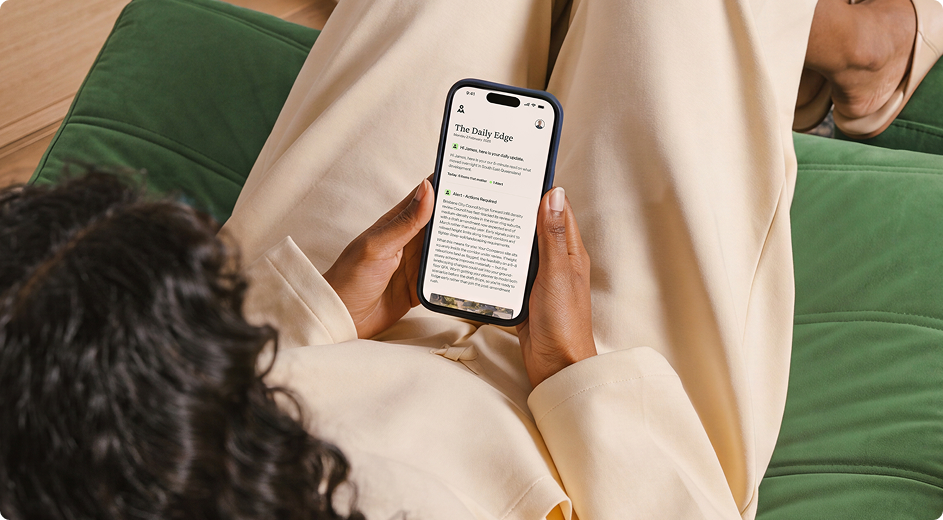


At ten past six every weekday morning, a message lands in our Slack. It’s the AI Daily Brief: the biggest AI news from the last 24 hours, cut down to a few bullet points, with a note on why each one matters to an agency like ours. Nobody wrote it. Nobody had to remember to send it.
It’s a small thing. It’s also a good example of where AI is genuinely saving us time right now. Not in a grand transformation, but in dozens of small jobs that used to quietly eat everyone’s week.
1. The brief that writes itself
The Daily Brief is a scheduled AI task. Every morning it searches the latest AI news, reads the sources, decides what matters and writes a short summary in our house style. It leads with the one story that matters most, links to the originals, and flags anything that affects our clients. On Fridays it rolls the week into a wrap-up.
The trick isn’t the AI. It’s the setup. The task has a fixed focus (what we care about and what we don’t), a fixed tone (short, direct, no hype) and a fixed format. That priming is the difference between a useful brief and a page of noise. When the brief gets something wrong, someone says so in the thread, and the instructions get tightened.
We now run the same pattern for other topics. A storage industry brief goes to our storage team with competitor moves and industry data, so they start the day informed instead of spending an hour searching.
2. An assistant for the boring bits
Several of our team now have their own AI assistant handling personal admin. It runs on scheduled tasks and simple instructions, and it does the jobs people hate.
Some real examples from the last few months:
- CRM updates. Send the assistant a few dot points in Slack after a client call. It updates the CRM, creates the opportunity and assigns it to the right person.
- File housekeeping. It renamed a whole folder of venue photos so the web team could tell at a glance which room was which.
- Nudges. It flags when someone owes an answer on a thread, so a project doesn’t stall waiting on one reply.
None of these jobs is hard. That’s the point. They’re the five-minute tasks that add up to hours, and that nobody wants to do.
3. Claude as a first-draft machine
For writing and analysis, we use Claude daily. Proposals, client findings reports, meeting summaries, customer stories, and the first draft of this article.
The rule is the same every time: AI writes the first draft, a person writes the final one. AI is fast at turning a meeting transcript, a spreadsheet or a pile of notes into a structured draft. A person who knows the client checks it, cuts what’s wrong and adds what only they know. The draft takes minutes instead of hours, and the judgment stays human.
What we’ve learned
Start with the job you hate, not the tool you like. The best automations we run started with someone saying “I’m sick of doing this every week”.
Prime it properly. A scheduled task is only as good as its instructions. Tell it what to focus on, what to ignore, what tone to use and what format to deliver.
Keep a person on anything that leaves the building. Internal briefs can run on their own. Anything a client sees gets a human check first.
Fix it in the open. When the AI gets something wrong, say so where everyone can see it, then fix the instructions. That’s how the system gets better and how the team learns to trust it.
Where to start
Pick one recurring task that takes someone at least an hour a week: a report, a summary, a round of updates. Write down exactly what good looks like. Then set an AI task to do a first version and have that person check it for a month.
If you’d like help working out which jobs in your business are worth handing to AI, and which aren’t, talk to us. We’ve tested it on ourselves first.
Related Articles
Anyone can get AI to produce something. Getting it to...
Anyone can build software now. Describe what you want, and...
Every weekday at 6am, our team gets an AI-written briefing...